Account Deletion
Delete Your Account in the App
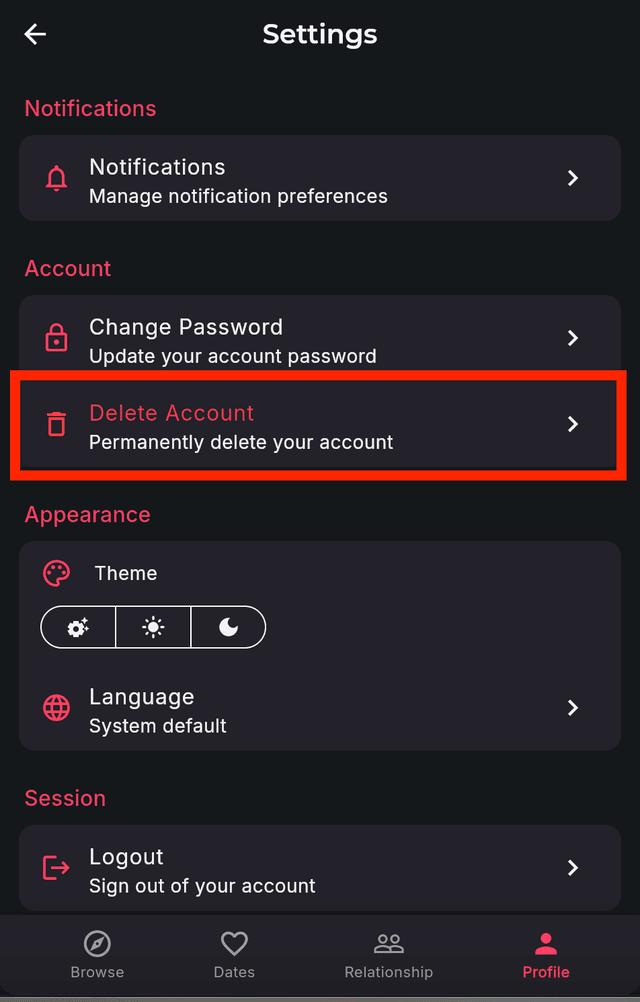
You can delete your account directly from the Bonded app by following these steps:
- Open the Bonded app and go to your Profile
- Tap the Settings icon
- Under Account, tap Delete Account
- Confirm the deletion
Request Deletion via Email
Alternatively, you can request account deletion by sending an email to info@bondedapp.eu
What Happens When You Delete Your Account
- Your profile and personal data will be permanently removed
- Your matches and conversations will be deleted
- Any active subscriptions should be cancelled separately through your app store
- This action cannot be undone